
Download structured conference data to upload into your AI tools
Download any of these files and upload them to ChatGPT, Claude, or your preferred AI tool for personalized conference analysis.
A structured ZIP package containing a README, schema.org JSON-LD, the mega-prompt, plus JSON files for speakers and sessions, for Insight Exchange table topics, and the AI Toolkit prompt library. Unzip the file and upload ALL the files (or any single file inside it) to Claude, ChatGPT, Gemini, or Copilot.
Download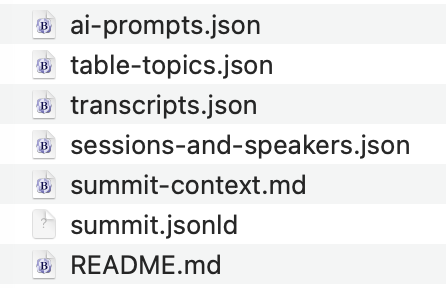
Complete agenda with session details, speaker info, times, rooms, and tracks. Upload to any AI tool for structured analysis.
DownloadSpreadsheet-friendly format. Open in Excel or Google Sheets, or upload to AI tools.
DownloadSessions grouped by conference track — great for track-specific analysis.
DownloadOn-demand export of all presentations — title, track, time/room, key takeaways, and direct download URLs for the Wistia recording, transcript SRT, attendee slides PDF, AI-formatted PDF, and the per-session bundle ZIP.
Export & DownloadThis site supports the Model Context Protocol (MCP) — an open standard that lets AI assistants like Claude, ChatGPT, and others read conference data directly. Instead of copying and pasting, your AI can pull speaker info, session details, and the full prompt library on its own.
What your AI can access: conference schedule, session details and descriptions, speaker bios and organizations, the full AI prompt library, and session search by track or keyword.
https://cirasai.com/wp-json/mcp/mcp-adapter-default-serverThis section is intended for advanced users already utilizing MCP-compatible tools. Use of these endpoints is at the discretion of the user and their organization's IT policies.
Lost your key? Go to My Account and click Revoke & Regenerate Key to create a new one.